Application Testing Engine
ProductionBuilt at work for a national healthcare data companyQA is not the builder grading their own work. The Testing Engine runs on its own whenever an app lands in Azure DevOps and on every pull request, uses the app the way a person would, and tells the team what it could not check as well as what failed.

What it does
- Runs automatically when an app is loaded into Azure DevOps and on every pull request: static analysis, AI code audit, unit, API, accessibility, performance, and security tests, plus Playwright runs that click every link and button and use the app like a human, then sends the team a detailed report.
- Reads acceptance criteria from Azure DevOps work items and reports each as passing, failing, regressed, not testable, or not covered.
From my resume.
Who it is for
The AI Solutions team and every developer who opens a pull request on its apps.
How it works
Trigger
An app is loaded into Azure DevOps, or a pull request opens.
Audit
Static analysis and an AI code audit read the code.
Test
Unit, API, accessibility, performance, and security tests run.
Use it
Playwright clicks every link and button, like a person would.
Criteria
Each acceptance criterion reads as passing, failing, regressed, not testable, or not covered.
Report
The team gets a detailed report, with the must-fix items first.
The real screens


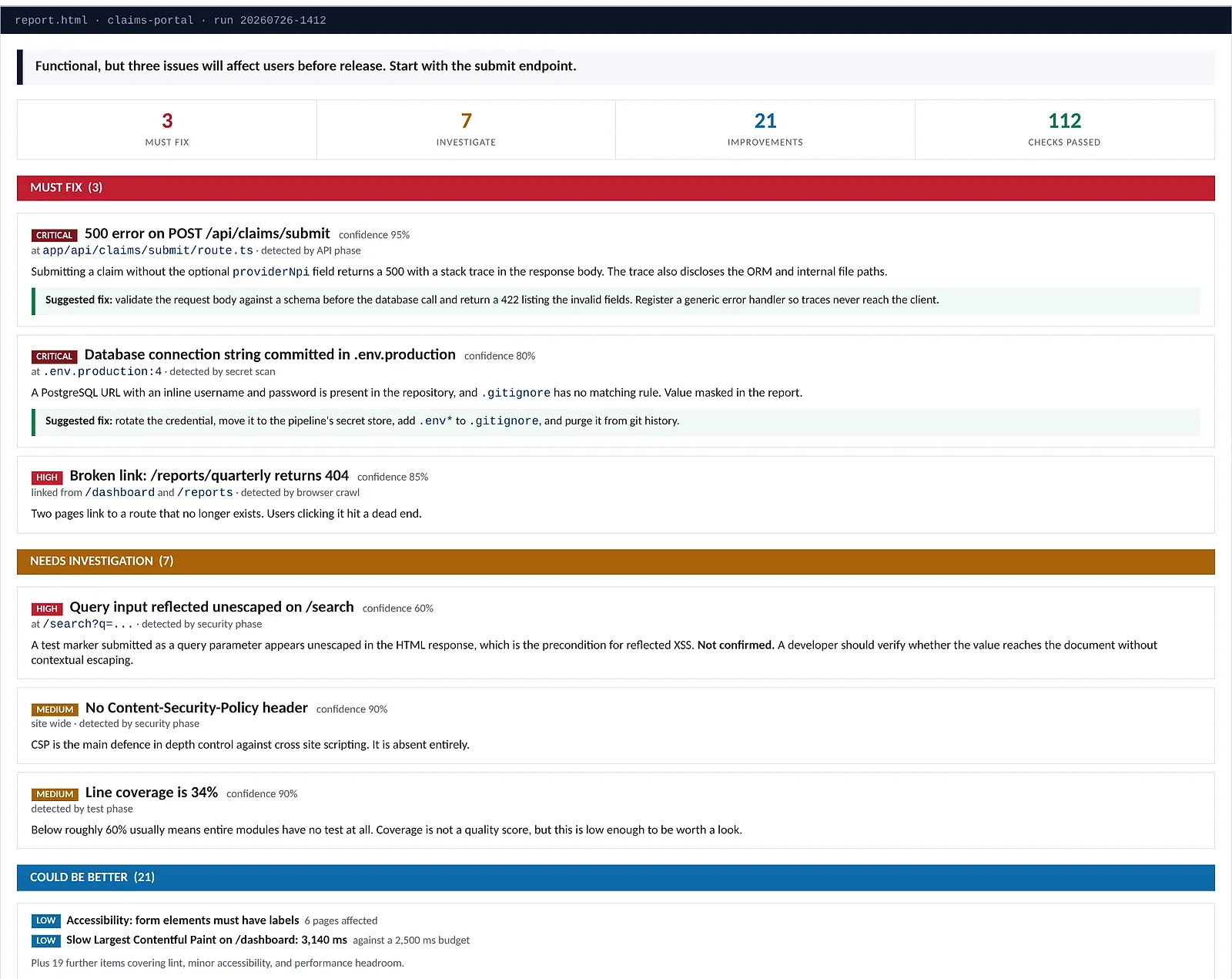
Ranked findings. Must-fix items come first, each with the phase that found it and how sure the engine is.
Suggested fix. Each must-fix finding comes with a suggested fix.
The decision that matters
Report what was not tested
A criterion the engine cannot observe is reported as not testable or not covered, never as passing. A green report that hides its gaps is worse than a red one.
Built with
- Python
- Azure DevOps
- Playwright
- pytest